Robotron is complete, and it can be played here,
I will do the "write up" tomorrow, probably.
Game#15 will be my entry for the Underground Jam competition at Scirra, so I won't publish anything regarding that until the competition is over.
I already have an interesting idea for this game, bit different from the obvious platforms in caves type thing, so we will see....... maybe I'll win the Spade Handle ?
Friday, 7 August 2015
Thursday, 6 August 2015
Game#14: Robotron (nearly there)
Robotron is now pretty much playable - there is no "Game Over" display, and there's no title or high score, but it can be played.
Haven't had much time on it today, but tomorrow hopefully it will be made available to play online like all the others, and I will do the 'write up' of the game.
Wednesday, 5 August 2015
Game 14 : Robotron 2048, onwards and upwards
Feeling better today, and got some actual progress .... here we have a screen with the whole lot of everything on.
Needs a little tweaking. The "Brains" are perhaps a little too smart in going and grabbing humanoids and zombifying them.
It's now at the stage where the level is being built from globals indicating the number of objects in each level.
Fortunately I have found someone who has reverse engineered the original game, so I can get the right number of bad guys on each level.
Needs a little tweaking. The "Brains" are perhaps a little too smart in going and grabbing humanoids and zombifying them.
It's now at the stage where the level is being built from globals indicating the number of objects in each level.
Fortunately I have found someone who has reverse engineered the original game, so I can get the right number of bad guys on each level.
Monday, 3 August 2015
Game# 14: Day something or other
As I crawl out of my sick bed, Robotron moves further towards being playable. I hate being ill, and I'm always suspicious of code written when I'm ill.
All the bad guys are now present except the human eating brains.
Hopefully I'll do that tomorrow.
Here you can see the Tanks and Enforcers with their bouncing and crawling bullets. Seems to work quite well.
All the bad guys are now present except the human eating brains.
Hopefully I'll do that tomorrow.
Here you can see the Tanks and Enforcers with their bouncing and crawling bullets. Seems to work quite well.
Sunday, 2 August 2015
Game # 14: Robotron (continued)
Still feeling awful :(
Have managed to do a bit of work on Robotron. I have the two enemies that spawn others working, and I've also refactored the chaser code out of the Grunts into another family (because I'll need to have other objects chase I think).
Amendments to the Wanderer family made it suitable for use for the Quarks and Spheroids (the two enemy types that spawn other objects) they move in a similar random pattern, just with the option of diagonal movement.
Also have decided to go in for Scirra's "Underground" competition. I did go in for the "Deception" one, but I only had about a day to write the game for various reasons, so I was quite pleased to be in the top 20 :)
Have managed to do a bit of work on Robotron. I have the two enemies that spawn others working, and I've also refactored the chaser code out of the Grunts into another family (because I'll need to have other objects chase I think).
Amendments to the Wanderer family made it suitable for use for the Quarks and Spheroids (the two enemy types that spawn other objects) they move in a similar random pattern, just with the option of diagonal movement.
Also have decided to go in for Scirra's "Underground" competition. I did go in for the "Deception" one, but I only had about a day to write the game for various reasons, so I was quite pleased to be in the top 20 :)
Friday, 31 July 2015
Game#14: Robotron (Day 2)
Shocking cold yesterday and especially today, spend most of today in Bed :(
Have made some minor progress with Robotron though ; the Grunts, Hulks, Enforces and Humans are completed.
Todo : Spheroids (spawn Enforcers), Quarks (spawn Tanks) and Brains. I'll have to spend some time figuring out how they all behave to get a realistic version of the game.
Maybe tomorrow :)
Have made some minor progress with Robotron though ; the Grunts, Hulks, Enforces and Humans are completed.
Todo : Spheroids (spawn Enforcers), Quarks (spawn Tanks) and Brains. I'll have to spend some time figuring out how they all behave to get a realistic version of the game.
Maybe tomorrow :)
Wednesday, 29 July 2015
Game # 14: Robotron
Robotron is a classic. It's the original "totally demented shoot em up".
As you can see, I only currently have the player shooting, grunts (not doing much) and the humans (which you collect for points). If you haven't played Robotron, it looks like this but with about ten times as much going on.
This looks like it's going to family centric, already I have six different families.
One change to the original. The original has dual controllers, one controls where you fire, one controls where you move. I have nicked Jeff "Llamasoft" Minter's idea for his remake "Llamatron" whereby the player automatically fires, and the fire key locks the shooting direction, so you can fire (say) to the left while moving right.
It will be an interesting test of the speed of Construct 2, if I can find a workable control system for a touch screen. When Robotron is going flat out it makes Defender without the planet look like Space Invaders on slow mode.
As you can see, I only currently have the player shooting, grunts (not doing much) and the humans (which you collect for points). If you haven't played Robotron, it looks like this but with about ten times as much going on.
This looks like it's going to family centric, already I have six different families.
One change to the original. The original has dual controllers, one controls where you fire, one controls where you move. I have nicked Jeff "Llamasoft" Minter's idea for his remake "Llamatron" whereby the player automatically fires, and the fire key locks the shooting direction, so you can fire (say) to the left while moving right.
It will be an interesting test of the speed of Construct 2, if I can find a workable control system for a touch screen. When Robotron is going flat out it makes Defender without the planet look like Space Invaders on slow mode.
Tuesday, 28 July 2015
Game# 13: How it works
Anyway, how Jawbreaker works.
Globals and Constants
Lots of globals and constants here. Have some quasi constants as well "Pseudo Constants" - the idea here is they are assigned one value at the start, which then is unchanging - obviously this isn't enforceable in C2 but it's a good idea code wise. Event 3 initialises these values which represent various screen positions.
There are some utility functions here, updating the score and lives, and resetting things when a new game/retry occurs. When you start a new level or game, the layout is reloaded.
Finally this game has an FSM, which was grafted on afterwards, lazily :)
Setup
This game doesn't usee the painting at all, pretty much, so this sets up the screen - event 1 draws the border, repositions the vitamin (it is always there, just not always visible) and the level text. Event 2 creates the moving walls (actually solid walls with a black overlay), and event 3,4 and 5 create the monsters and the sweets.
Play State,
This is the main game stuff. Event 1 initialises everything on layout start. Events 2-4 control the music and the 8 direction controls depending on whether the game is actually being played.
The game code proper starts at event 5. Event 6 clamps the player into the game space, and 7 and 8 handle the potential horizontal movement - this is only permitted either in the left or right columns, or where you are passing through a gateway (gap in the wall).
Event 9 through 13 handle eating sweets - 10/11 have different effects for eating the different coloured sweets, and 13 handles the end of level.
Event 14 makes the vitamin pill appear on its timer, and 15 and 16 make it go into chase mode on collision with appropriate sound and effects, also setting the timer for "end of chase warning" (fired at 17-18) and "end of chase" (fired at 19-23). This also puts the monsters to reappear at the other end of the game board from where you are, allowing the player to get away (i.e. monsters don't reappear on top of you)
Finally 24-26 handle collisions with monsters - this can either be during the chase mode (26) in which case you score, or not, when you lose a life.
Moveables
This handles the monsters. Events 2-4 set up the monstes, with a position and a reverse timer - they are driven by wrapped bullets. On event 5, the monsters reverse direction periodically.
Event 6 shouldn't be here (arguably), it's purpose is to make the gateways invisible or visible depending on the horizontal position, otherwise they will appear over the top of the left and right border. I probably should have done his with z-order/layers, but it's a blitz.
Other states
This handles various states. "New level" (1-7) animates the brush coming in and brushing and out using a bullet and a sine. This is messy but it works by firing timers and checking the position.
Event 8 onwards handles lost life, and this makes the player disappear from the top down. Finally Game over, in events 15-18 fades the Game Over text in and goes back to the title page when the fade is completed.
Saturday, 18 July 2015
Off on Holiday (again)
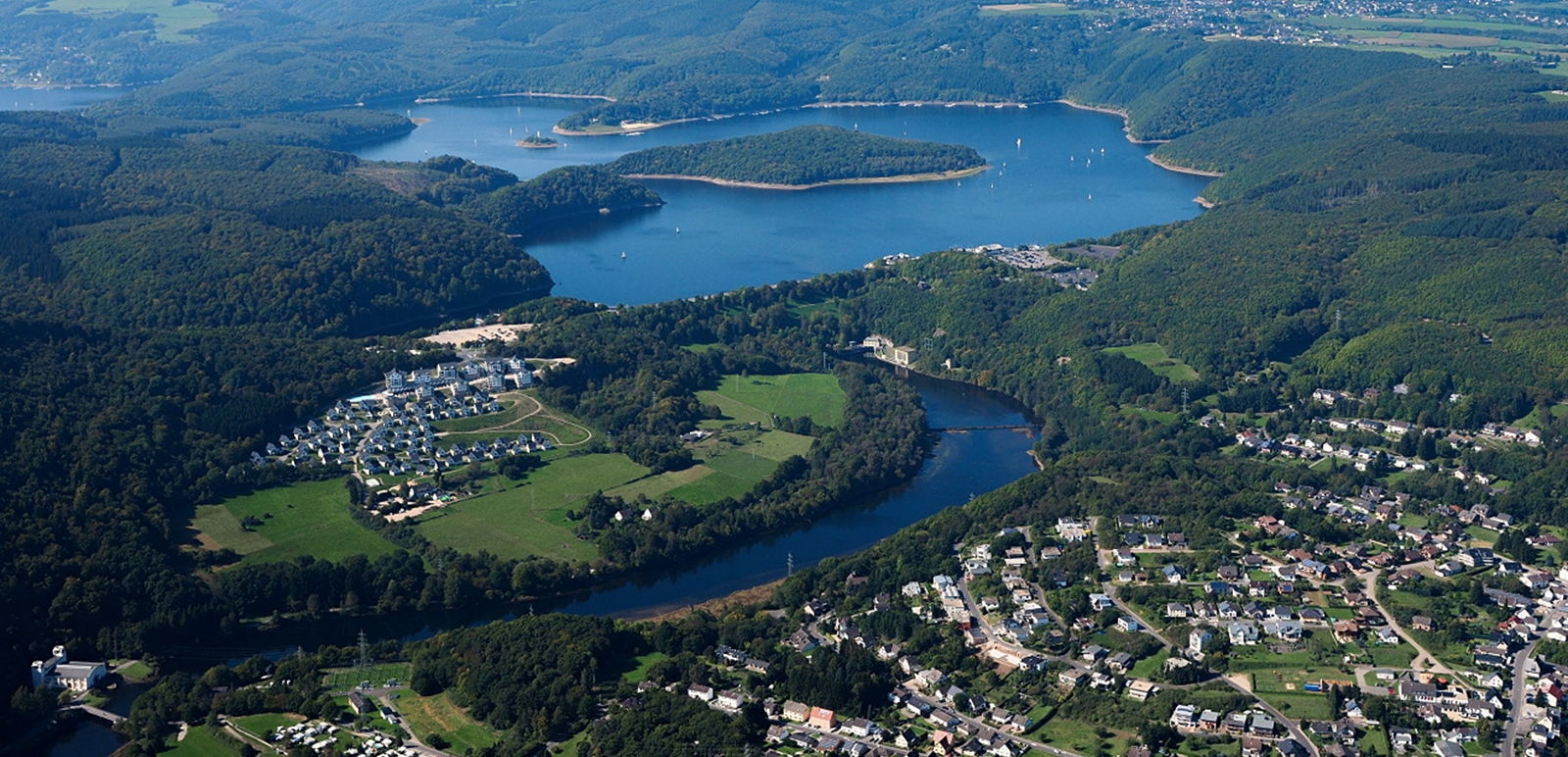
| Eifel National Park near Heimbach, Germany |
When I get back I'll do that and then finish off my list which is (probably) Robotron, Defender, Lode Runner and (maybe) Tempest. Also thinking of porting Richard Garriott's Akalabeth (aka "Ultima 0") to C2 (I have already ported this to "C")
Fortunately for the sanity of the world, it isn't my 3D signing robot for Special Needs that both sang, and signed "When Goldilocks went to the House of the Bears".
Game # 13 : Complete
Jawbreaker can be played here. The source is in the usual github. I will write it up later on.
Friday, 17 July 2015
Game#13 : Jawbreaker (A blitz)
As a blitz, because I'm off for a week tomorrow, yesterday I wrote most of a version of the Atari 2600 game "Jawbreaker" (original below) in a couple of hours. It's nearly finished, except the objects aren't actually moving (yet). Should be available later today, but the write up might be delayed.
When I get back I will move onto Robotron.
Jawbreaker is a Pacman variant. Amazingly they were sued for "copying Pacman" - this was a time when there were umpteen dodgy Pacman clones. Pacman isn't really suited to the Atari 2600 for reasons relating to its hardware, so its a sort of horizontal version, though it has many of the same elements - the sprites only move horizontally as do the gaps in the maze.
This is because it is very difficult to get multiple sprites on the same line, and even if you do it is Space Invaders like (e.g. very repetitive) - Pacman's maze is doable, but the five sprites on the screen at once (4 ghosts, Pacman) flicker because they can be drawn in any vertical position. This homebrew is much better in terms of its resemblance to the original, but it still flickers, for the same reasons.
When I get back I will move onto Robotron.
Jawbreaker is a Pacman variant. Amazingly they were sued for "copying Pacman" - this was a time when there were umpteen dodgy Pacman clones. Pacman isn't really suited to the Atari 2600 for reasons relating to its hardware, so its a sort of horizontal version, though it has many of the same elements - the sprites only move horizontally as do the gaps in the maze.
This is because it is very difficult to get multiple sprites on the same line, and even if you do it is Space Invaders like (e.g. very repetitive) - Pacman's maze is doable, but the five sprites on the screen at once (4 ghosts, Pacman) flicker because they can be drawn in any vertical position. This homebrew is much better in terms of its resemblance to the original, but it still flickers, for the same reasons.
14500 Board, how it works.
Interface
This is probably the interesting bit. The interface works through a dictionary which contains settings of the 'controls' (switches and LEDs), and automatically updates the dictionary or display.
Rather than copying umpteen objects, it uses an IOMarker which specifies detail, this expands at event 2. For each "bit" it requires, it creates an interface object which has different animations for different objects, and tells it whether it is input or output and which bit of which data item it is. 6 and 7 allow it to be labelled.
Events 8 through 10 copy data either to or from the interface object to the dictionary. Event 11 makes toggle switches work. Event 12 handles pushbuttons initialises pushbuttons and their labels - they do not have an entry in the dictionary, but call a function "On<actionName>" (this is done in 15).
Event 17 onwards is a short cut. Data is stored in a 256 x 4 bit memory on this machine, and this allows code to be typed in by pressing 0-9A-F which writes it to the current memory and bumps the program counter - otherwise you'd have to set the switches, press load data, and press single step - this does it for you - you can type 0 A 9 F C 3 etc. to load a program in.
InterfaceRefresh
This is related to interface but it copies data from the emulation globals into the interface dictionary - then they are updated to the display by the code in interface. These are the current address in the program counter (8 + 1 + 1) LEDs, the data at that location (4), the Result Register (14500 Accumulator) (1), the 16 output latches (16 LEDs) in 3 to 6). Event 7 maintains the state of the step/run switch in a global for convenience.
Event 8 is added to make things easier - it displays the mnemonic equivalent of the code in data memory, rather than having to read binary.
Commands
These handle the push buttons, they are all "OnXXX" functions. LoadPC copies the address switches into the program counter, Reset resets the program counter, the 14500 MCU and the run latch, Single step executes a single half-instruction (see emulation), Load Data loads the data switches into memory, and OnRunMode starts the program running by setting the run latch. Finally event 8 causes the emulation to free run at one half-instruction per tick if the run latch is set.
Emulation
This is a classic emulation of the MCU, with one tweak. Each single step is a half instruction - for even address instructions (opcode) it loads the opcode into an internal latch (Event 3), and on odd ones, it loads the operand (IO Address) into an external latch (Event 4) - so it requires two single steps to execute each instruction.
The emulations follow the 14500 Specification, except NOP0 (0000) resets the run latch and NOPF (1111) presets the program counter, loading the address switches into the program counter.
A couple of helper functions read input (Starting at 23) - this supports the "wiring" of input pin 15 to the RR (25) and input pins 8-14 to their corresponding output latches (26), these can be then used as data storage. This is my own addition, as it is not fixed on the original board but done by wiring.
This is probably the interesting bit. The interface works through a dictionary which contains settings of the 'controls' (switches and LEDs), and automatically updates the dictionary or display.
Rather than copying umpteen objects, it uses an IOMarker which specifies detail, this expands at event 2. For each "bit" it requires, it creates an interface object which has different animations for different objects, and tells it whether it is input or output and which bit of which data item it is. 6 and 7 allow it to be labelled.
Events 8 through 10 copy data either to or from the interface object to the dictionary. Event 11 makes toggle switches work. Event 12 handles pushbuttons initialises pushbuttons and their labels - they do not have an entry in the dictionary, but call a function "On<actionName>" (this is done in 15).
Event 17 onwards is a short cut. Data is stored in a 256 x 4 bit memory on this machine, and this allows code to be typed in by pressing 0-9A-F which writes it to the current memory and bumps the program counter - otherwise you'd have to set the switches, press load data, and press single step - this does it for you - you can type 0 A 9 F C 3 etc. to load a program in.
InterfaceRefresh
This is related to interface but it copies data from the emulation globals into the interface dictionary - then they are updated to the display by the code in interface. These are the current address in the program counter (8 + 1 + 1) LEDs, the data at that location (4), the Result Register (14500 Accumulator) (1), the 16 output latches (16 LEDs) in 3 to 6). Event 7 maintains the state of the step/run switch in a global for convenience.
Event 8 is added to make things easier - it displays the mnemonic equivalent of the code in data memory, rather than having to read binary.
Commands
These handle the push buttons, they are all "OnXXX" functions. LoadPC copies the address switches into the program counter, Reset resets the program counter, the 14500 MCU and the run latch, Single step executes a single half-instruction (see emulation), Load Data loads the data switches into memory, and OnRunMode starts the program running by setting the run latch. Finally event 8 causes the emulation to free run at one half-instruction per tick if the run latch is set.
Emulation
This is a classic emulation of the MCU, with one tweak. Each single step is a half instruction - for even address instructions (opcode) it loads the opcode into an internal latch (Event 3), and on odd ones, it loads the operand (IO Address) into an external latch (Event 4) - so it requires two single steps to execute each instruction.
The emulations follow the 14500 Specification, except NOP0 (0000) resets the run latch and NOPF (1111) presets the program counter, loading the address switches into the program counter.
A couple of helper functions read input (Starting at 23) - this supports the "wiring" of input pin 15 to the RR (25) and input pins 8-14 to their corresponding output latches (26), these can be then used as data storage. This is my own addition, as it is not fixed on the original board but done by wiring.
App#1 : MC14500 Board Released
It can be "played" here. It's a reasonably faithful mimic of the original, though the Input and Output have been changed - on the original they ware just headers, but I've put switches in and LEDs to display the input and output. Also Pin 15 of Input is permanently connected to the Result Register pin (the 14500 Accumulator) and Pins 8-14 are routed from the output latch so they can be used as 7 bits of data storage.
An emulator in C2 is perfectly feasible, but for anything significant probably needs to be written in pure Javascript. The tilemap would be very good for old fashioned memory mapped screens, but wouldn't be much use for a pixel graphic one.
Note that the source is available in a different github, see the links bar.
An emulator in C2 is perfectly feasible, but for anything significant probably needs to be written in pure Javascript. The tilemap would be very good for old fashioned memory mapped screens, but wouldn't be much use for a pixel graphic one.
Note that the source is available in a different github, see the links bar.
Thursday, 16 July 2015
App # 1 : MC14500B Evaluation Board
Well, I changed my mind about this. Partly because all the documentation regarding the WDR-1 is in German, and this emulation (on the right) is the Motorola Evaluation kit, which is very similar (the primary difference is memory is arranged as 4 bits rather than 8 bits) and it's in English. I don't speak a lot of German (may improve as I'm spending a week in Germany from Monday, but I'm probably not going to use the German for "Program Counter" much).
Most of this is done, the only bit missing is the actual emulation of the processor.
Seems a bit pointless, but it gave me some opportunities to experiment with ideas for interfaces. It's also an insane thing to program as it has no loops (other than reset to the start) in most implementations, which means everything is state machines. You can have branches and subroutines but none of the hardware is present in the 14500, all it does is pulse a chip pin "Jump" or whatever.
Almost none of the switches and LEDs are placed manually, they are generated by having another object create it, below is what the design screen actually looks like. Each purple IO says what to draw, how many bits, and whether it is input or output. This data is then copied to and from a dictionary, which acts as an intermediary between the interface and the program. Push buttons call a function derived from an instance variable. It works quite well.
Most of this is done, the only bit missing is the actual emulation of the processor.
Seems a bit pointless, but it gave me some opportunities to experiment with ideas for interfaces. It's also an insane thing to program as it has no loops (other than reset to the start) in most implementations, which means everything is state machines. You can have branches and subroutines but none of the hardware is present in the 14500, all it does is pulse a chip pin "Jump" or whatever.
Almost none of the switches and LEDs are placed manually, they are generated by having another object create it, below is what the design screen actually looks like. Each purple IO says what to draw, how many bits, and whether it is input or output. This data is then copied to and from a dictionary, which acts as an intermediary between the interface and the program. Push buttons call a function derived from an instance variable. It works quite well.
| Part of Construct 2's Editor Window |
Dungeon : how it works
Dungeon is a relatively simple game ; the complexity involved is in changing from something extremely procedural to event driven. The main problem with this is the message area - there is one line that has a sequence of messages "You have been attacked" "The monster has 50 hit points" and so on. This is done by a queue event sheet which displays these in sequence. It is possible to get way ahead of this :) which is slightly odd, but the alternative is to lock the player out until the queue is emptied. In a real game with a similar issue this would probably be done by a scrolling list box.
GlobalsConstants
Mainly defines globals and constants - the space at the top, the size of the map, tile names. (isRunning in 2 is not actually used). This game is not actually set up in the editor - the text items and the tilemaps are positioned programmatically, and Event 4 does this for the text at the top of the screen. Event 6 processes and hides the decision buttons that are displayed when you are offered a bribe to run away, and 8-11 are simple utility functions to refresh the top screen. The RefreshHitPoints function is, or was, going to be optimised slightly but in the end wasn't, because HP is updated so much.
MessageQueue
A utility in its own right. It keeps a queue of messages seperated by colons in instance variable MessageQueue.text. Event 2 positions it on the second line. Event 4 removes a message on its timeout (each being displayed for 2s) and Event 5 replaces it with the head of the queue if it is not empty. Function 6 (AddMessageToQueue) seperates the implementation from the execution, so it is easy to (say) change the seperator if I need to. I could implement the "scrolling information box" idea here just by replacing this on its own.
Dungeon
All this code is run at start up and its main purpose is to create the tilemaps and objects. There are two tilemaps, one the actual map itself, and the other one with two tiles, solid and transparent, which do the "visible area" bit, where you can only see where you've been. Events 2 and 3 do basic set up.
Event 4-6 creates the rooms, by creating a purple room marker object and moving it if it overlaps with any other room marker object. In Event 6 it is positioned off screen, destroying it does not work because I think destroy is a "request to destroy" rather than "destroy it now". If you stop at this point the screen would be full of purple squares.
Events 7-9 process them. For each room marker on screen, it draws tiles on the tilemap, creates a random gold and monster for each room and initialises the monster. Event 9 keeps moving the monster until it and the gold do not overlap. Event 10 initialises the target the monster is moving towards to where it currently is (i.e. initially it does not move)
Events 11-13 open the paths up and position the player on the path, somewhere. (Probably 12 and 13 should be the other way round !). The path code is simple - attempt a path east and south, and stop when you hit another room, but if you reach the end wall, there is no path. This is done by the recursive ScanPath function, which returns 0 if the wall is not to be drawn and 1 or 2 if it is (2 is for the door). It advances down the prospective path and draws the actual tile after the recursive call, when it "knows" whether the path is to be drawn or not. This code is actually much simpler than the flat original which scanned to the end and drew it retrospectively in Construct 2.
Incidentally, as an idea of how fast a PET was, the code drawing here took about a minute on the original.
Events 22-25 allow you to reset the "look" of the game to the PET original (though the font is still the same)
Player
This handles the player moving. Event 2 opens up the visibility by changing the tile on the top tilemap. Event 3 stops movement if we are waiting for the player to decide whether to accept a bribe or not, otherwise from 5 onwards we handle moving.
Event 5 reads the current tile, 6 handles 'floating' (you can go through walls by holding Shift down), and remembers the last good position in 8. If the current position is bad, it is reset to the last good in 9, this means it cannot leave the paths or rooms without "floating".
Moving reduces your hit points, which is tested for in 10-13. The original game had no concept of maximum hit points, you could heal to 1000000 HP if you were patient enough, so this is added. Different hitpoints are lost depending on whether you are floating or not.
Event 14-16 display the "Gold is near" message if the nearest object is near enough, the first time it is fired, and its collection is processed in 17 and 18. Event 19 autoheals if you aren't moving (originally you had to press "5" for this).
Events 20-24 make the game touch compatible (except there is no float option) and 24-25 check for win (all gold collected) and loss (HP < 1) states. Finally 26 and 27 hide the yes/no buttons when the queue is not empty, a bit of a fudge to improve the synchronisation.
Monsters
Events 2-3 reset all the monster HPs at the start, and 4-7 reset the monster HPs every 1/4 second for every monster except the one you are fighting. This does mean all the others change their HP all the time, but this doesn't matter particularly. Perhaps it could have been done better with an 'initialHP' value - in the original monsters recover when you aren't fighting them.
Event 8-10 are the same as gold, it prints a warning message when monsters are nears, and 11-13 process monster movement, moving them towards xTarget,yTarget if they aren't there already.
Fighting code starts at 15, when not in "offer" mode and colliding with monster the combatants are "wobbled" (brief application of sine to them). Event 16 calculates the damage and updates the scores, and if the player is alive, the option of a bribe (17/18) may be offered, in which case it is put into "offer mode" - the buttons are made visible to allow the player to decide (bribeAttempted is because you get a bribe offer for each monster once only). If not, the rest of the fight code is done in the "ExitFightCode" function because it is duplicated when you decline the bribe (should've been an FSM really).
Events 20-24 process that choice, clicking on a decision button, with the monster doing a bunk for half your gold in 21-22 and carrying on fighting in 23.
Event 23 is the fighting completion code. 27 checks for killing the monster, 28 for levelling up, and if you haven't killed it 29-31 fire, figuring out a new position as an angle from the player position - it attempts to move behind the player and if it can't somewhere random, the new 'move target' is upset in 31).
Event 33 resets a monsters HP to the maximum, here for easy changing, and 35 does the wobble effect, activating the sine for 0.6s using a timer.
GlobalsConstants
Mainly defines globals and constants - the space at the top, the size of the map, tile names. (isRunning in 2 is not actually used). This game is not actually set up in the editor - the text items and the tilemaps are positioned programmatically, and Event 4 does this for the text at the top of the screen. Event 6 processes and hides the decision buttons that are displayed when you are offered a bribe to run away, and 8-11 are simple utility functions to refresh the top screen. The RefreshHitPoints function is, or was, going to be optimised slightly but in the end wasn't, because HP is updated so much.
MessageQueue
A utility in its own right. It keeps a queue of messages seperated by colons in instance variable MessageQueue.text. Event 2 positions it on the second line. Event 4 removes a message on its timeout (each being displayed for 2s) and Event 5 replaces it with the head of the queue if it is not empty. Function 6 (AddMessageToQueue) seperates the implementation from the execution, so it is easy to (say) change the seperator if I need to. I could implement the "scrolling information box" idea here just by replacing this on its own.
Dungeon
All this code is run at start up and its main purpose is to create the tilemaps and objects. There are two tilemaps, one the actual map itself, and the other one with two tiles, solid and transparent, which do the "visible area" bit, where you can only see where you've been. Events 2 and 3 do basic set up.
Event 4-6 creates the rooms, by creating a purple room marker object and moving it if it overlaps with any other room marker object. In Event 6 it is positioned off screen, destroying it does not work because I think destroy is a "request to destroy" rather than "destroy it now". If you stop at this point the screen would be full of purple squares.
Events 7-9 process them. For each room marker on screen, it draws tiles on the tilemap, creates a random gold and monster for each room and initialises the monster. Event 9 keeps moving the monster until it and the gold do not overlap. Event 10 initialises the target the monster is moving towards to where it currently is (i.e. initially it does not move)
Events 11-13 open the paths up and position the player on the path, somewhere. (Probably 12 and 13 should be the other way round !). The path code is simple - attempt a path east and south, and stop when you hit another room, but if you reach the end wall, there is no path. This is done by the recursive ScanPath function, which returns 0 if the wall is not to be drawn and 1 or 2 if it is (2 is for the door). It advances down the prospective path and draws the actual tile after the recursive call, when it "knows" whether the path is to be drawn or not. This code is actually much simpler than the flat original which scanned to the end and drew it retrospectively in Construct 2.
Incidentally, as an idea of how fast a PET was, the code drawing here took about a minute on the original.
Events 22-25 allow you to reset the "look" of the game to the PET original (though the font is still the same)
Player
This handles the player moving. Event 2 opens up the visibility by changing the tile on the top tilemap. Event 3 stops movement if we are waiting for the player to decide whether to accept a bribe or not, otherwise from 5 onwards we handle moving.
Event 5 reads the current tile, 6 handles 'floating' (you can go through walls by holding Shift down), and remembers the last good position in 8. If the current position is bad, it is reset to the last good in 9, this means it cannot leave the paths or rooms without "floating".
Moving reduces your hit points, which is tested for in 10-13. The original game had no concept of maximum hit points, you could heal to 1000000 HP if you were patient enough, so this is added. Different hitpoints are lost depending on whether you are floating or not.
Event 14-16 display the "Gold is near" message if the nearest object is near enough, the first time it is fired, and its collection is processed in 17 and 18. Event 19 autoheals if you aren't moving (originally you had to press "5" for this).
Events 20-24 make the game touch compatible (except there is no float option) and 24-25 check for win (all gold collected) and loss (HP < 1) states. Finally 26 and 27 hide the yes/no buttons when the queue is not empty, a bit of a fudge to improve the synchronisation.
Monsters
Events 2-3 reset all the monster HPs at the start, and 4-7 reset the monster HPs every 1/4 second for every monster except the one you are fighting. This does mean all the others change their HP all the time, but this doesn't matter particularly. Perhaps it could have been done better with an 'initialHP' value - in the original monsters recover when you aren't fighting them.
Event 8-10 are the same as gold, it prints a warning message when monsters are nears, and 11-13 process monster movement, moving them towards xTarget,yTarget if they aren't there already.
Fighting code starts at 15, when not in "offer" mode and colliding with monster the combatants are "wobbled" (brief application of sine to them). Event 16 calculates the damage and updates the scores, and if the player is alive, the option of a bribe (17/18) may be offered, in which case it is put into "offer mode" - the buttons are made visible to allow the player to decide (bribeAttempted is because you get a bribe offer for each monster once only). If not, the rest of the fight code is done in the "ExitFightCode" function because it is duplicated when you decline the bribe (should've been an FSM really).
Events 20-24 process that choice, clicking on a decision button, with the monster doing a bunk for half your gold in 21-22 and carrying on fighting in 23.
Event 23 is the fighting completion code. 27 checks for killing the monster, 28 for levelling up, and if you haven't killed it 29-31 fire, figuring out a new position as an angle from the player position - it attempts to move behind the player and if it can't somewhere random, the new 'move target' is upset in 31).
Event 33 resets a monsters HP to the maximum, here for easy changing, and 35 does the wobble effect, activating the sine for 0.6s using a timer.
Tuesday, 14 July 2015
Game#12 : Dungeon completed
Game 12, the PET Dungeon remake, is complete and can be played here.
I have also added a link to its github (it isn't in the one with everything else) this also contains the original source code reverse engineered.
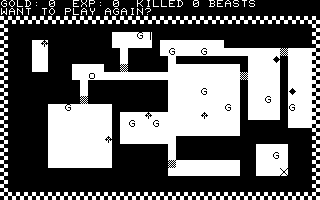
You can see it here. Truth be told, I'm not totally happy with this one. It's event driven, and in the original BASIC code there's quite a lot of "Print this" (wait) "Print that" (wait), a sequence of messages.
I've done this with a queue of messages, but they easily get behind the "action", I'm not really happy with the way this synchronises. I would probably use a state machine to lock all this stuff out if I was doing it for real. I could probably have made more use of WAIT as well, I think,
I will put the write up tomorrow - probably. Next thing will be something even more different, not actually a game at all. Just a quickie before I go on holiday, I don't want to leave Robotron half done.
It's one of these :
I have also added a link to its github (it isn't in the one with everything else) this also contains the original source code reverse engineered.
You can see it here. Truth be told, I'm not totally happy with this one. It's event driven, and in the original BASIC code there's quite a lot of "Print this" (wait) "Print that" (wait), a sequence of messages.
I've done this with a queue of messages, but they easily get behind the "action", I'm not really happy with the way this synchronises. I would probably use a state machine to lock all this stuff out if I was doing it for real. I could probably have made more use of WAIT as well, I think,
I will put the write up tomorrow - probably. Next thing will be something even more different, not actually a game at all. Just a quickie before I go on holiday, I don't want to leave Robotron half done.
It's one of these :
Most people, even those into retrocomputing, won't know what this is. It's a German machine, known as the "WDR-1", and it is the only "home micro" commercially available based on the MC14500B Microprocessor.
This is an interesting chip. It's only a one bit microprocessor, and it has no real branching and jumping instructions.
Monday, 13 July 2015
Dungeon progress
Making reasonable progress with the Dungeon game. You can wander about a dungeon and collect gold, the monsters don't do anything yet and you can't attack them.
It's basically two tilemaps - the bottom one the maze, the upper one the 'reveal' - it's one of those CRPGs where the game is exposed as you go round (think of it as a primitive version of Sword of Fargoal ?) with sprites on top. These sprites I got from some free RPG tiles I found somewhere.
And it's got more recursive code in it ....
It's basically two tilemaps - the bottom one the maze, the upper one the 'reveal' - it's one of those CRPGs where the game is exposed as you go round (think of it as a primitive version of Sword of Fargoal ?) with sprites on top. These sprites I got from some free RPG tiles I found somewhere.
And it's got more recursive code in it ....
Saturday, 11 July 2015
Retrochallenge 2015 Summer : Pet Dungeon
For various reasons, not excluding broadband problems and holidays, my Retrochallenge 2015 for Summer (to reverse engineer the code of the original Simon toy from 1974) will have to be delayed. It's about 40% done (reversing TMS1100 code is interesting to put it mildly) but I won't complete it in time. Not only is it the missus birthday this week, but it's my mum's as well, and we're going on holiday after that....
In its place, as a one week one shot, and because it fits my list - sort of, I'm going to convert this game to Construct 2.
It's one of the earliest semi commercial "RPG" type games, called just "Dungeon". It was sold as part of a tape based magazine called "Cursor" and precedes things like "Temple of Apshai". (I am actually old enough to have owned a Pet 2001 with the chicklet keys. Anyone who thinks game coding on C2 is hard should try that , or the machine I started on which is the same as the Science of Cambridge MK14 ....)
You can read more about it here, an excellent blog written by atotal loony nice chap who wants to play every CRPG ever made. I'm not sure if this is possible ....
I will try and improve the graphics a little bit.
It will be quite an interesting exercise because like almost all code written in the 1970s, it is not event driven, but procedural.
This will have its own github as it is sort of seperate from the rest of the games.
Once I've done this, then I will move onto Robotron 2084 (Wahey !) and Defender (even better !), but I'm visiting Germany for a week with the extended family in about a week, so that will be into August.
In its place, as a one week one shot, and because it fits my list - sort of, I'm going to convert this game to Construct 2.
It's one of the earliest semi commercial "RPG" type games, called just "Dungeon". It was sold as part of a tape based magazine called "Cursor" and precedes things like "Temple of Apshai". (I am actually old enough to have owned a Pet 2001 with the chicklet keys. Anyone who thinks game coding on C2 is hard should try that , or the machine I started on which is the same as the Science of Cambridge MK14 ....)
You can read more about it here, an excellent blog written by a
I will try and improve the graphics a little bit.
It will be quite an interesting exercise because like almost all code written in the 1970s, it is not event driven, but procedural.
This will have its own github as it is sort of seperate from the rest of the games.
Once I've done this, then I will move onto Robotron 2084 (Wahey !) and Defender (even better !), but I'm visiting Germany for a week with the extended family in about a week, so that will be into August.
Centipede ... how it works
There are two interesting things about this game. The first is it uses a finite state machine, the second is the method by which the centipede moves.
Globals
Declares assorted globals. They are initialised in Event 4 (this is a one restart layout = one set of lives thing). There are some utility functions to update the lives, the score,, add a value to a score. Event 11 is used to randomise the colour on the little score thing that appears when you shoot some things (hence "On created").
Event 12-15 colours an object in the Colourable family by UID, replacing colour 5 (white in this scenario) with orange and adding a "white override" - this is because the poisoned mushrooms are white. The actual colour is derived from the level number. The colour works by adding a SetColor effect in WebGL (hence it requires WebGL to provide the colour). You could do this by having different frames/animations in the different colours but that's not so much fun as playing with WebGL.
Mushrooms
Most of the code here is concerned with initialisation - it creates equally spaced mushrooms at the top, this is to break up the centipede parts early. Duplicate mushrooms are created at event 5 (I think I forgot to put the While in there .... oops). Events 5 and 6 handle the shooting and destroying of mushrooms (which require 3 hits each), and 7 scores when you finally beat the mushroom.
Finally event 8 causes any new mushroom to be coloured appropriately as per above.
Player
Event 2 initialises the positions, Event locks it in a "player area" at the bottom of the screen, and Event 4 fires a missile if the Ctrl key is pressed. Easy enough so far .... well it isn't now :)
Centipede
The heart of it. Each centipede is a singly linked list effectively, with the "nextUIDInChain" instance variable creating a list. The head of the list, which is also the head of the centipede is marked as such (isLeader instance variable).
It moves as follows. Each segment moves under its own code to a new "target" coordinate, but this target coordinate is passed down the list. So the head tells segment 1 to go where it is, segment 1 tells segment 2 to go where it is and so on.
Event 2 detects being shot. This splits the linked list, which becomes two seperate ones - event 3 stores the UID of the head of the new list. Event 4 and 5 do the scoring, and create a new mushroom. Evemt 7, destroying the segment, finally breaks the list (the previous entry now points to a non existent UID). The new head is then selected and made up to be a leader (8 and 9).
Events 10-17 create a centipede of a given size. They are created with all the segments on top of each other (12 picks a spot). 13 and 14 create the body, keeping the uid of the previous part of the chain in "uid", and 15 is the same except it just does the head.
Event 18 onwards moves the centipede(s). It does it with the leaders first (in 18) so that the orders are set up in the correct order.
Event 19 detects if the leader has reach its target. If it has, it calls the "PassNewTargetDown" function which causes each segment in the list to pass its current position on to the next segment as its new target.
Event 20 causes the reversal on hitting a mushroom, or being poisoned, or a collision(21) or being on the edge of the screen (22,23). If none of these applies the new target is one position either space horizontally in the current direction (24). If there was a reversal it is to move down and once that has completed continuing moving horizontally (25).
Event 26 and 27 keep the centipede in the player area at the bottom, making it endlessly cycle in that area.
Event 28 fires for all, and moves the object towards its currently specified target. Event 29 shouldn't be there and doesn't do anything anyway.
Event 29 is a recursive function which passes the target down the linked list - all it does is copy the target from the parameters and then call it with the next segments stuff. I often wondered if recursion worked in C2. It does.
Event 32-37 creates Centipedes or centipede heads dependent on the level, at one of two speeds.
Spider Scorpion and Fleas
This is actually three seperate files really, one for each of the other centipede characters. They all start in a similar fashion with timers for random intervals (e.g. 2 and 3) and the creation starts at 4. The sine behaviour causes the spider's zig zag effect vertically and a simple chaser moves it horizontally, this is done in 5. Every so often the 'target' of the chaser is recalculated by 6.
Events 7 and 8 deal with shooting it - the score depends on how far apart they are, and it spawns a transient score item and a particle effect.
Finally 9 and 10 turn the spider tune off and on as a spider is created or destroyed (there is only one at once).
The Flea initial code is similar (12,13) except they only appear on level 2. The first thing it does is count all the mushrooms in the player area, and if there aren't enough, fires the flea. This drops down the screen using a bullet behaviour, and creates mushrooms on the way down. It stops at the bottom (18) and can be shot (19) with particles and transient score again.
The Scorpion again is very similar. Event 23 creates it (Level 3+) and it moves horizontally, event 24 allow s it to go the other way. Any mushrooms it collides with are poisoned (25) which causes the centipede to crash to the bottom of the screen. They can be destroyed in event 26, but this also unpoisons all mushrooms on the same line (event 27), which isn't strictly accurate as it should only unpoison the ones its just poisoned, but its near enough.
State
This handles the four states of the game. In "new level" it creates a new level (basically centipedes) in 5, recolours all the objects in 6.
The main play state starts at 8. Hitting a segment or animal switches it to "life lost", and destroying all the segments switches it to a new (next) level in 10 and 11. 12 starts the thud thud thud noise.
Life lost starts at 15, where the basic adjustments are made, and the segments are all destroyed. Each mushroom flashes briefly which is set up by a timer in 17 and implemented in 18. When all these are completed (19) it switches either to new level (the same level again) or game over depending on whether there are any lives left, or not.
Finally, 23 and 24 implement the game over state which fades "Game over" onto the screen and restarts the layout when space is pressed.
Title Sheet
Events 3-5 create the wobbling centipede with the letters in (I did not use pin for this because it did not centre properly). Events 6-9 create a vague approximation of the Atari logo with horizontal lines, and 10 and 11 create the mushrooms
Each tick event 13 moves the letters with the circles, and 14 uses time to animate the raster bar. Finally 15 starts the game.
Centipede available to play
..... as the post title, the game is available to play here.
Github is up to date with this version, and I will put the write up in later today or possibly tomorrow. I have a fairly busy day today.
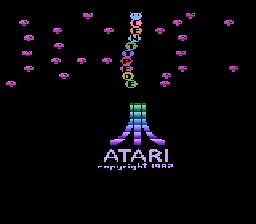
Those of you who know the 2600 version will appreciate my version of the Title page .... those of you who know how the 2600 works will appreciate what an impressive title page this is for a title for the 2600.
Github is up to date with this version, and I will put the write up in later today or possibly tomorrow. I have a fairly busy day today.
Those of you who know the 2600 version will appreciate my version of the Title page .... those of you who know how the 2600 works will appreciate what an impressive title page this is for a title for the 2600.
Subscribe to:
Posts (Atom)